
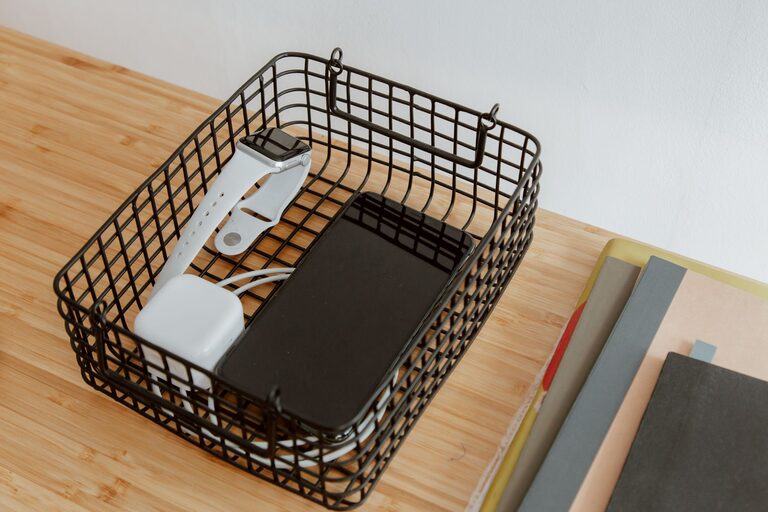
Cables and chargers have a way of spreading across desks, drawers, countertops, and floors. When every device uses a different cord, it is easy to end up with a tangled pile that takes several minutes to sort through.
The good news is that cable organization does not require a major project. With a few simple supplies and a clear storage system, you can keep cords neat, accessible, and easier to maintain.
Start by Gathering Every Cable
Before organizing anything, collect all your cables and chargers in one place. Check common hiding spots, including:
– Desk drawers
– Nightstands
– Kitchen counters
– Travel bags
– Storage bins
– Behind furniture
– Old electronics boxes
– Car compartments
Place everything on a clear surface so you can see what you have. This step often reveals that you own several similar cables or chargers that are no longer needed.
Avoid organizing items one drawer at a time. Gathering everything together gives you a complete view and makes it easier to create a system that works throughout your home.
Sort Cables by Purpose
Once you have collected your cables, separate them into basic groups. You can adjust the categories to match your needs, but useful groups may include:
– Phone and tablet chargers
– Laptop chargers
– Computer and monitor cables
– Audio and video cables
– Camera and gaming cables
– Travel chargers
– Extension cords and power strips
– Cables that are rarely used
If you are unsure what a cable does, set it aside in a separate group. Test it later instead of putting unidentified cords back into storage.
You can also sort cables by location. For example, create groups for your office, bedroom, living room, and travel bag. A combination of purpose and location can make frequently used items much easier to find.
Remove Cables You No Longer Need
After sorting, inspect each cable for damage and usefulness. Consider recycling or discarding cables that are:
– Frayed, split, or exposed
– Bent near the plug or connector
– Rusty or visibly damaged
– Missing an important adapter
– Connected to devices you no longer own
– Duplicates you never use
Do not keep every cable simply because it might be useful someday. Keep a small number of reliable spares, especially for common devices, but avoid storing a large collection of unknown cords.
If a cable is damaged, do not continue using it. Follow local recycling guidance for electronics and accessories when getting rid of unwanted items.
Create a Simple Labeling System
Labels are one of the easiest ways to prevent future confusion. A cable may look obvious when it is plugged in, but it can be difficult to identify when several similar cords are stored together.
Use small labels, colored tape, or reusable cable tags to mark each cord. Label the cable based on its purpose, such as:
– Phone charger
– Tablet charger
– Wireless headphones
– External drive
– Monitor
– Camera
– Travel adapter
For cables with two different connectors, label the main use rather than trying to describe every technical detail. A short label is easier to read and saves time.
You can also use different colors for different rooms or categories. For instance, blue may represent office equipment, while green may represent travel accessories. Choose a system that is easy to remember and consistent.
Use the Right Organizers
Different types of cable organizers work best for different situations. You do not need to buy every option; choose a few that fit your space.
Velcro Cable Ties
Reusable hook-and-loop ties are useful for bundling cables without tightly squeezing them. They are easy to remove when you need to use a cord and work well for chargers, extension cords, and cables stored in bags.
Avoid using permanent plastic ties on cables that you may need to separate later.
Cable Clips
Adhesive cable clips can keep frequently used cords in place on a desk or nightstand. They prevent cables from falling behind furniture and make it easier to connect a device with one hand.
Before attaching a clip, clean and dry the surface. For delicate furniture, test the adhesive in a hidden area first.
Cable Sleeves
Cable sleeves group several cords together and can make a workspace look cleaner. They are especially helpful for monitor, computer, and power cables that run in the same direction.
Choose a sleeve that can be opened easily. This lets you add or remove cables without taking the entire setup apart.
Storage Pouches
Small zippered pouches are ideal for travel chargers, memory cards, earbuds, and short cables. Keeping these items together prevents them from getting lost in a suitcase or backpack.
Use one pouch for everyday travel and another for less frequently used accessories.
Bundle Cables Without Damaging Them
When storing cables, use a loose over-under or simple loop method instead of wrapping them tightly around a charger. Sharp bends can place stress on the cable, especially near the connector.
Follow these steps:
- Straighten the cable gently.
- Make a loose loop that is several inches wide.
- Secure the center or end with a reusable tie.
- Place the label where it is easy to see.
- Store the cable without placing heavy objects on top of it.
For long extension cords, use a larger loop and avoid wrapping them around small objects. Keep plugs and connectors from being pulled or bent at unusual angles.
Set Up a Dedicated Charging Station
A dedicated charging station can prevent chargers from moving around the house. Choose a location near a power outlet, such as a desk, entryway table, or nightstand.
A basic charging station may include:
– A power strip with enough outlets
– A small tray or box
– Cable clips to guide cords
– Labels for each charger
– A space for devices while they charge
Keep the most frequently used chargers at this station. Store extra and rarely used chargers elsewhere so the area does not become crowded.
If you use a power strip, avoid overloading it. Keep it in a ventilated location and follow the manufacturer’s instructions.
Organize a Cable Drawer or Box
A single storage area is easier to maintain than several random piles. Choose a drawer, box, or small cabinet for spare cables and accessories.
Use dividers, small containers, or pouches to separate categories. Place the items you use most often near the front or on top. Label each section so you can return items to the correct place.
Do not pack the drawer too tightly. Leave enough room to remove one item without pulling out everything else.
A useful storage layout might include:
– Daily chargers
– Computer cables
– Audio and video cables
– Travel accessories
– Spare adapters
– Unidentified items for testing
Review the unidentified section after a few weeks. If you have not needed an item and still cannot identify it, it may not deserve storage space.
Keep Cables Organized Over Time
Cable organization works best when it becomes part of your regular routine. Return each cable to its assigned location after use, especially chargers that move between rooms.
When buying a new device, decide where its cable will live before opening the package. Remove duplicate accessories when appropriate, and update labels if a cable changes purpose.
Every few months, take a few minutes to inspect your collection. Remove damaged items, combine loose accessories, and adjust your storage categories if your needs have changed.
A tidy cable system should make daily tasks easier, not create more work. By sorting cables, labeling them clearly, using reusable organizers, and creating dedicated storage zones, you can keep chargers easy to find and your space looking neat.
About the Author